Next.js + Cloudflare #3: A Summary of Static Asset Management with R2 + Proxy
1. Why This Solution?
In short, this is a production-ready solution that offers a great developer experience, extremely low costs, and excellent performance. It is particularly well-suited for indie hackers and small team products.
Deploying Next.js on Vercel is widely considered a best practice, but its bandwidth (Data Transfer) costs can become significant once the free tier is exceeded. As a leading CDN provider, Cloudflare offers extensive edge node coverage and more competitive pricing. By keeping the Next.js application on Vercel for maximum framework compatibility while migrating static asset traffic (JS/CSS/Assets) to Cloudflare R2 + CDN, we can significantly improve loading performance and reduce costs without sacrificing stability.
While deploying the entire application on Cloudflare Pages/Workers theoretically offers a more unified experience, Vercel remains the most robust choice for compatibility, given the various runtime API limitations within the Worker environment.
2. Key Implementation Details
2.1 Next.js
- next.config.ts Configuration: Utilized the
assetPrefixproperty to intercept static asset requests and redirect them to the target CDN URL. Additionally,images.loaderis set tocustomto enable image size optimization via a custom Image Loader. - image-loader.ts: Implemented custom loader logic to interface with Cloudflare’s image processing capabilities or specific proxy paths.
2.2 GitHub
Added .github/workflows/deploy-prod.yml. When code is pushed to the branch, GitHub Actions triggers a production build, syncs the generated static assets (.next/static) to Cloudflare R2, and finally calls the Vercel API to complete the application deployment.
2.3 Cloudflare
- worker.js: Instead of exposing the R2 custom domain directly, using a Worker as a proxy further optimizes TTFB (Time to First Byte) and improves connection reuse. (Note: I tested a Cache API + R2 Binding approach, but since the speed improvement was negligible, I opted for the cleaner
fetchimplementation). - Tiered Cache: Enabling this significantly increases the cache hit rate and reduces origin shielding overhead, resulting in a noticeable performance boost.
Performance Demo
You can view the live project at demo.daolanx.com.
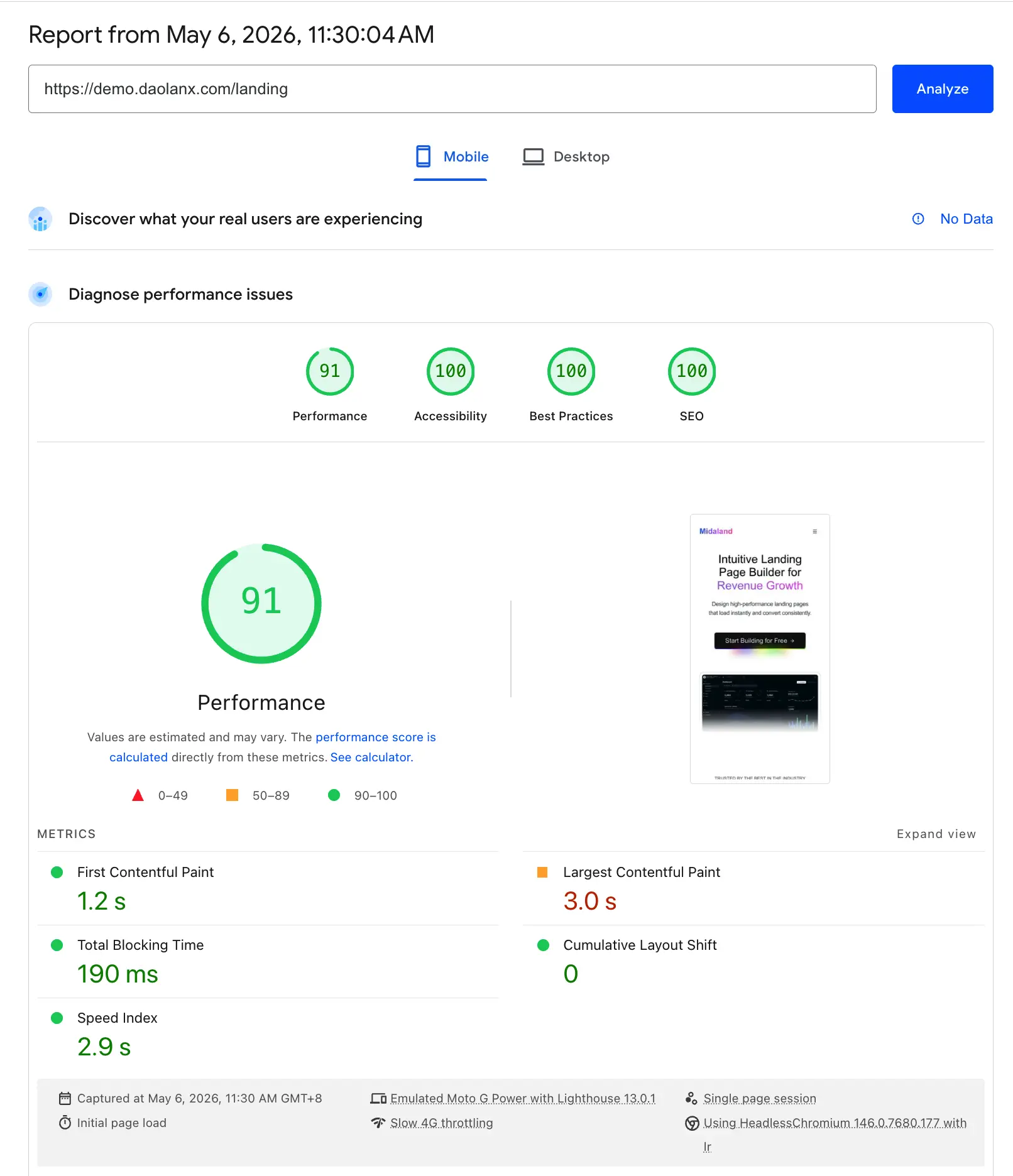
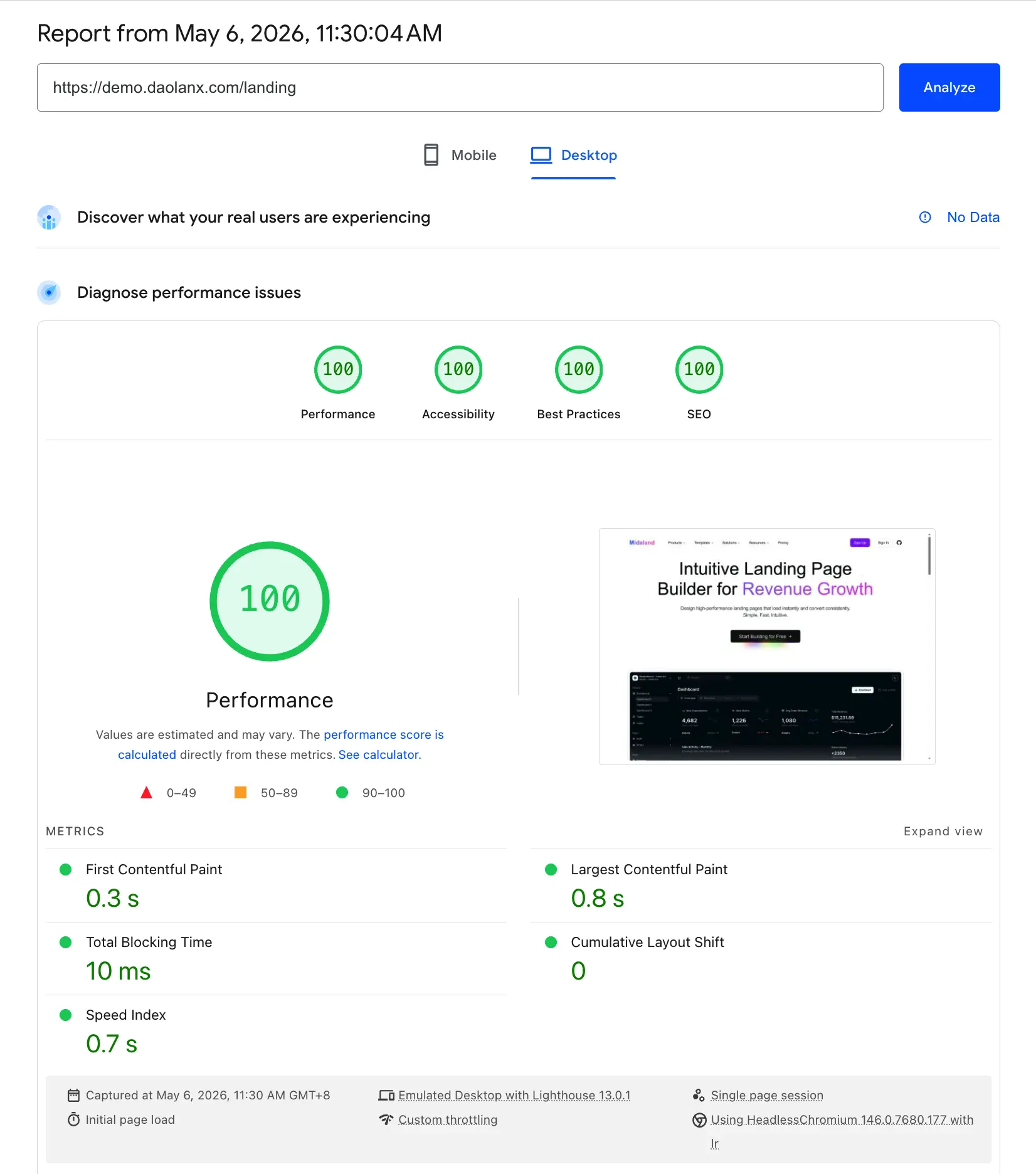
Take the Landing Page as an example: it uses the React Compiler for default performance optimization, alongside next/dynamic and standard imports for lazy loading. Without any additional manual tuning, it consistently scores above 90 on Lighthouse for both mobile and desktop.
Ultimately, this solution strikes an ideal balance between development efficiency and user experience: easy to develop, great performance, and cost-effective.
Additional Notes
This post focuses on the high-level architecture. Implementation also requires specific configurations for DNS, R2 bucket permissions, and Worker routing. If you run into any bottlenecks during setup, you can provide the first two articles of this series (#1, #2) to an AI; they contain enough detail to guide you through most of the configuration specifics.